
Terminal app for iPhone Duo, built for all 10 positions of the Duo.
- Closed, upright
- Closed, sideways
- Open, upright
- Open, sideways
- Laptop
- Book
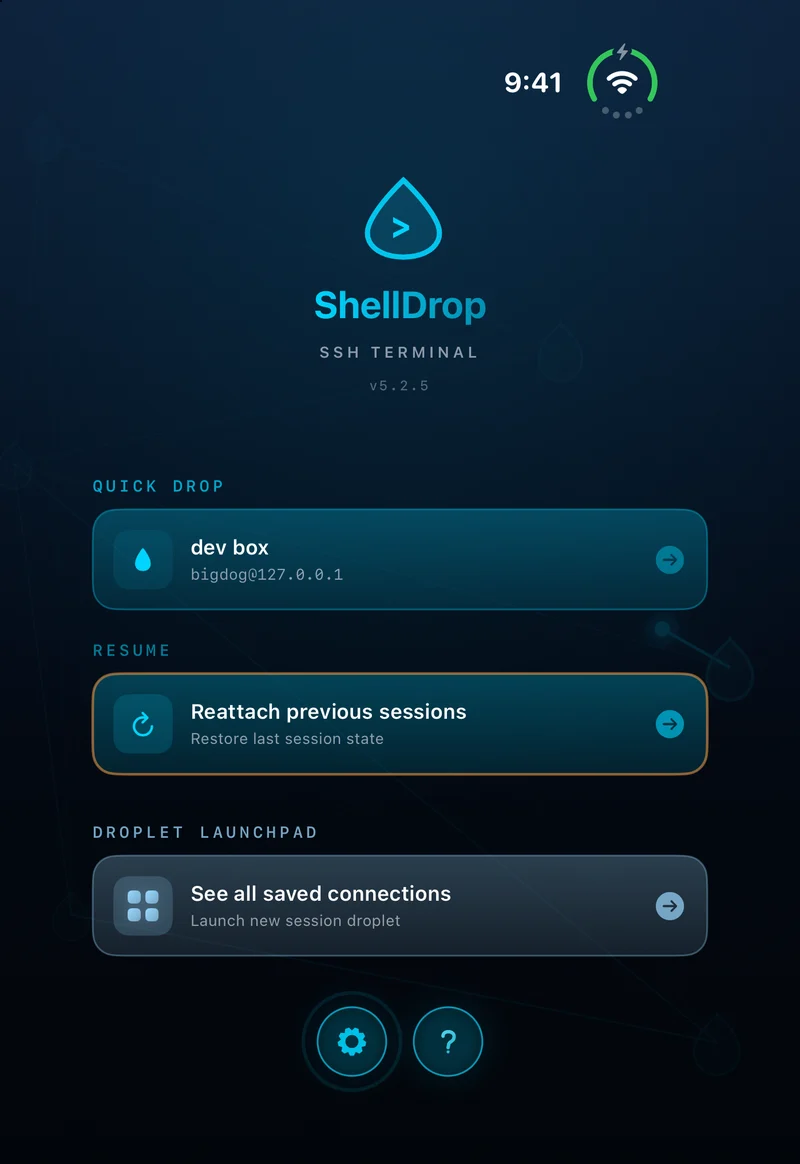
Shell Drop is a free, native SSH terminal for Apple’s foldable iPhone. Run Claude Code and Codex in Tmux on a Mac or VPS, check them on the outer display, and open the Duo when you want the whole canvas.
The iPhone Duo can be held 10 ways: closed or open, each turned four ways round, or half open, as a tiny laptop or held like a book. Open, each of those can show one screen or Duo mode, with the keyboard up or down, and people move between them constantly, mid-session.
So before release, the closed and open positions and every move between them went through a stress test: 572 steps in all. After each step we checked the app was still running, the layout hadn’t looped, and the keyboard toolbar was still on screen. It turned up one small layout bug, fixed in 5.2.5, and 200 more steps on the fixed build found nothing else.
One terminal, every way you hold it.
Closed in one hand, open on the desk, turned on its side for two sessions at once. Shell Drop fits each display the moment the Duo changes shape.
Half open, a tiny laptop.
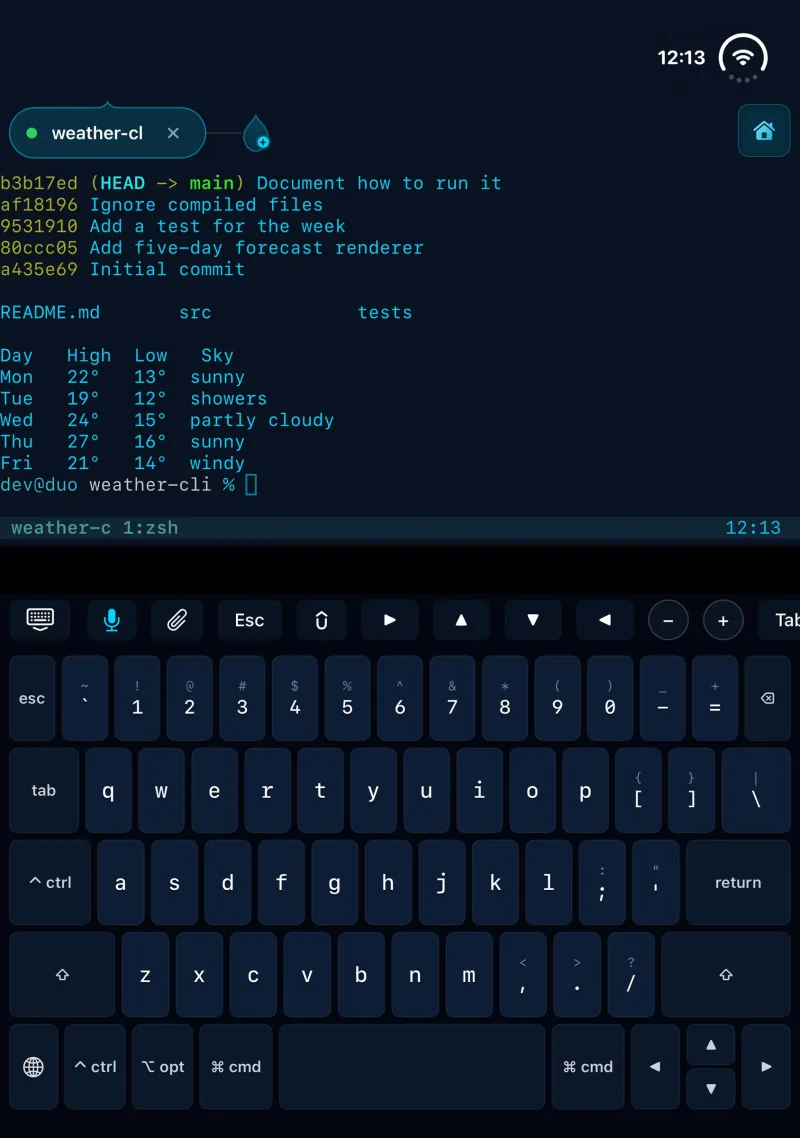
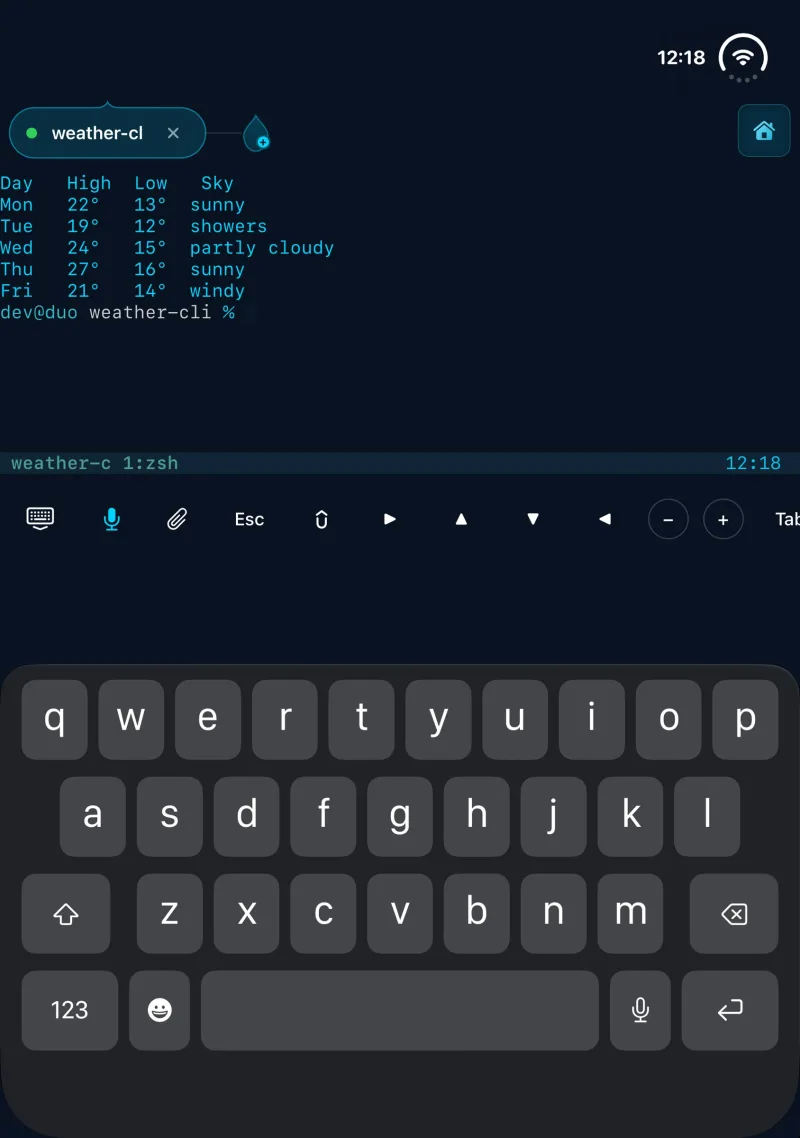
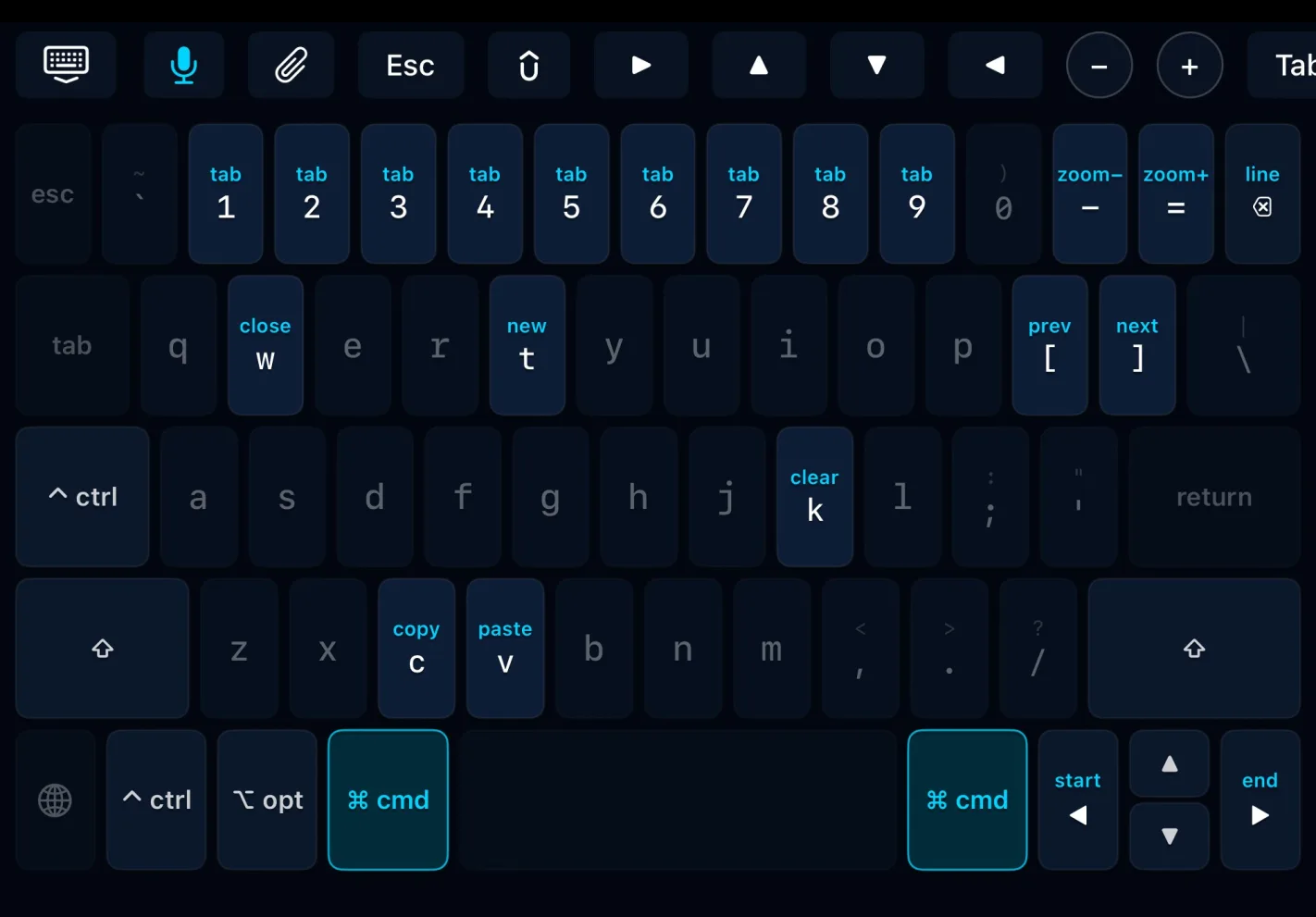
Fold the Duo halfway and stand it on the desk. The terminal fills the top screen and a full keyboard fills the bottom one, with ctrl, opt and cmd, a number row and arrow keys. Voice mode gives the terminal as much room as it can and keeps your voice keyboard’s mic in reach. Live now in Shell Drop 5.2.6. How laptop mode came together.
Closed, a quick check.
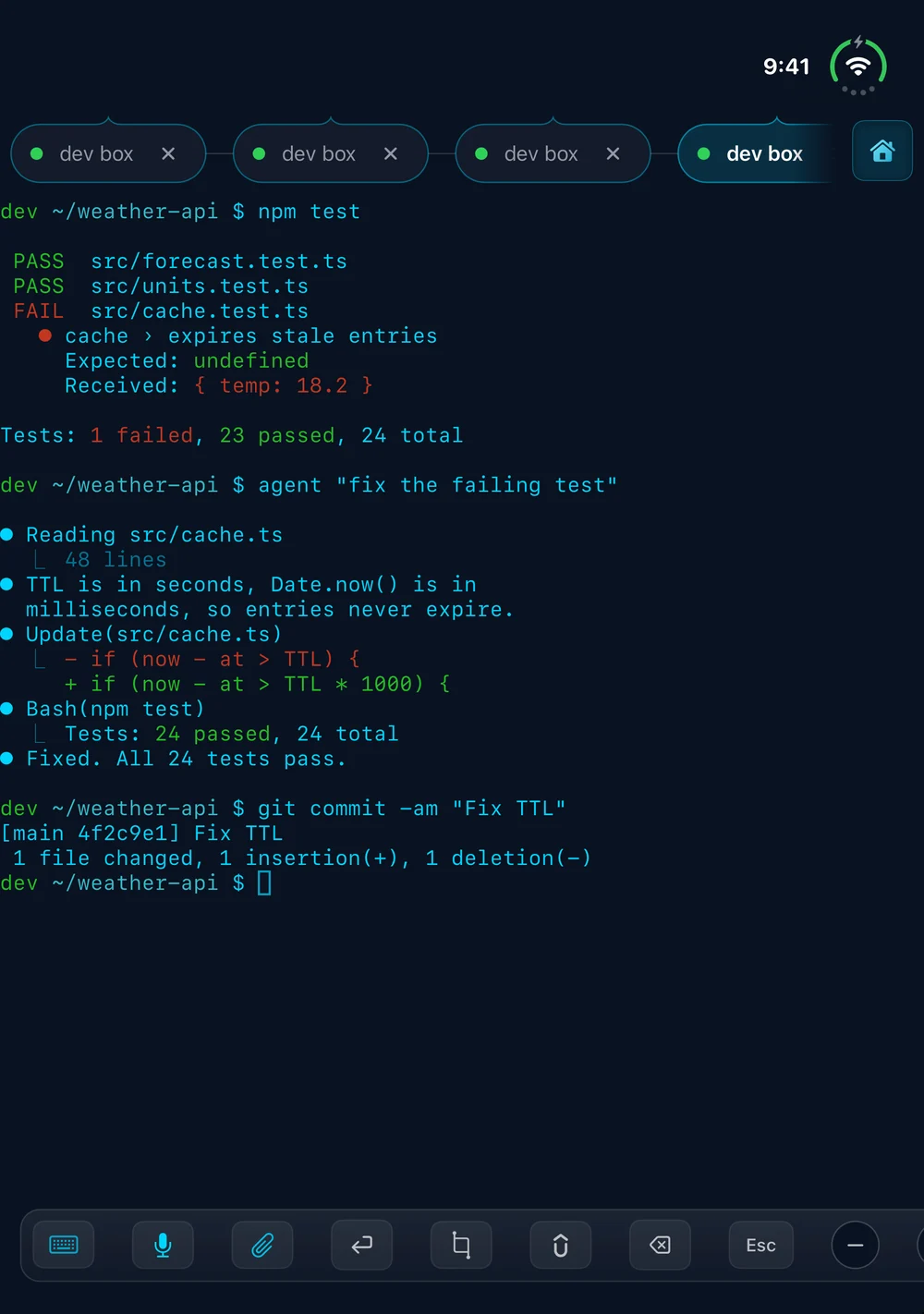
On the outer display the system icons sit across the top, so the terminal uses the full width of the closed Duo. Read what the agent did, then answer with a short instruction or a Voice Drop, without opening it.
Animation: on the closed iPhone Duo's outer display, the clock moves into one row with the wifi icon across the top and the Shell Drop terminal widens to the full width, about 22% more columns. An agent fixes a failing test, then a Voice Drop reply says ship it, then open a PR, and the agent carries on.
The open Duo, edge to edge.
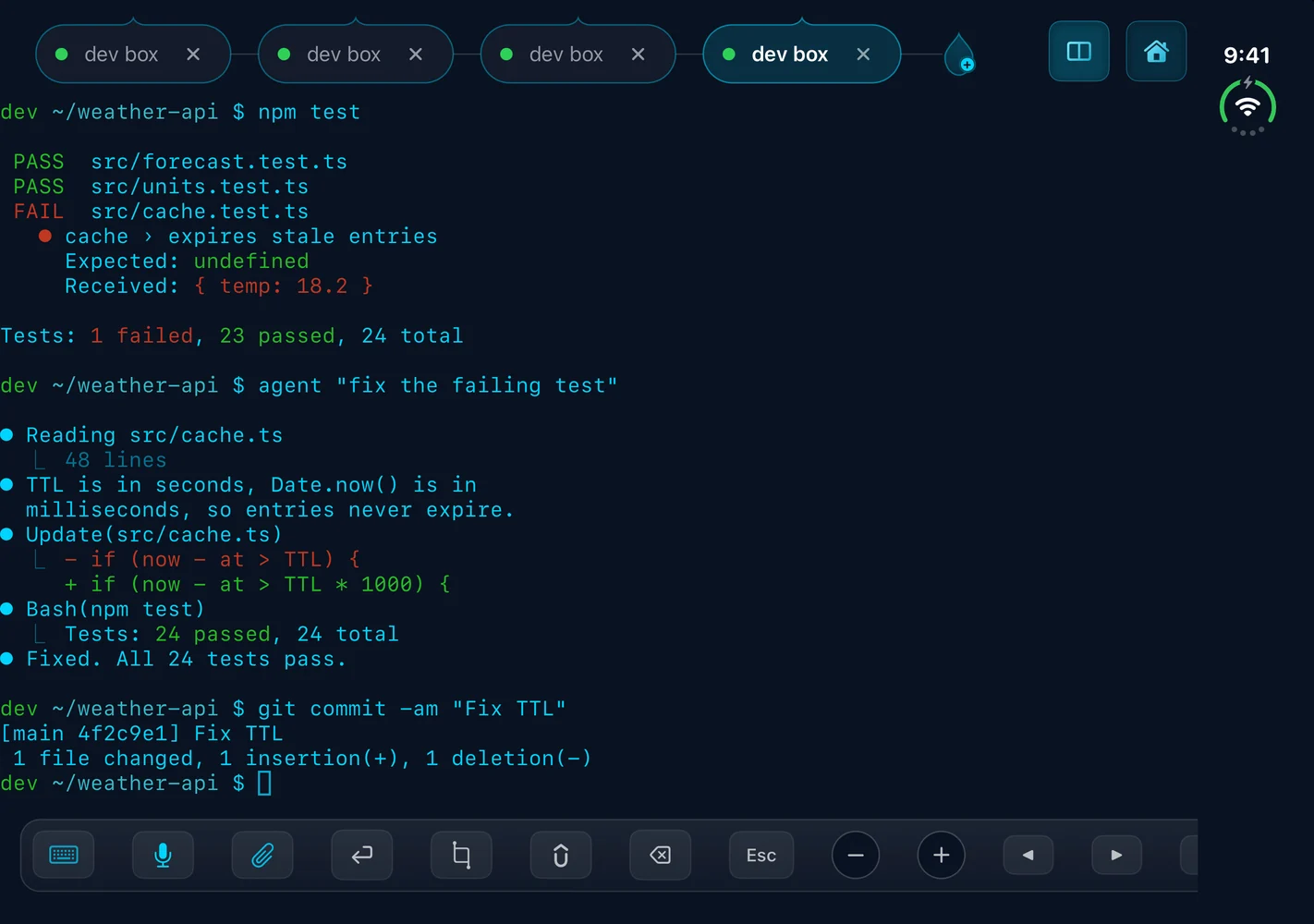
Unfold the Duo and Shell Drop fills the big inner display, in portrait or landscape.
Edge to edge
The app fills the inner display when the Duo is open, clear of the screen’s rounded corners.
Font from window width
The terminal picks a larger font from the window width, so lines stay readable at arm’s length.
One Tmux resize per fold
Fold or unfold and Tmux resizes once, in one step, while the session on the server keeps running.
22% more columns, closed
Fold it shut and the clock and wifi move into one row across the top, so the terminal runs the full width: about 22% more columns on every line.
Two sessions, side by side.
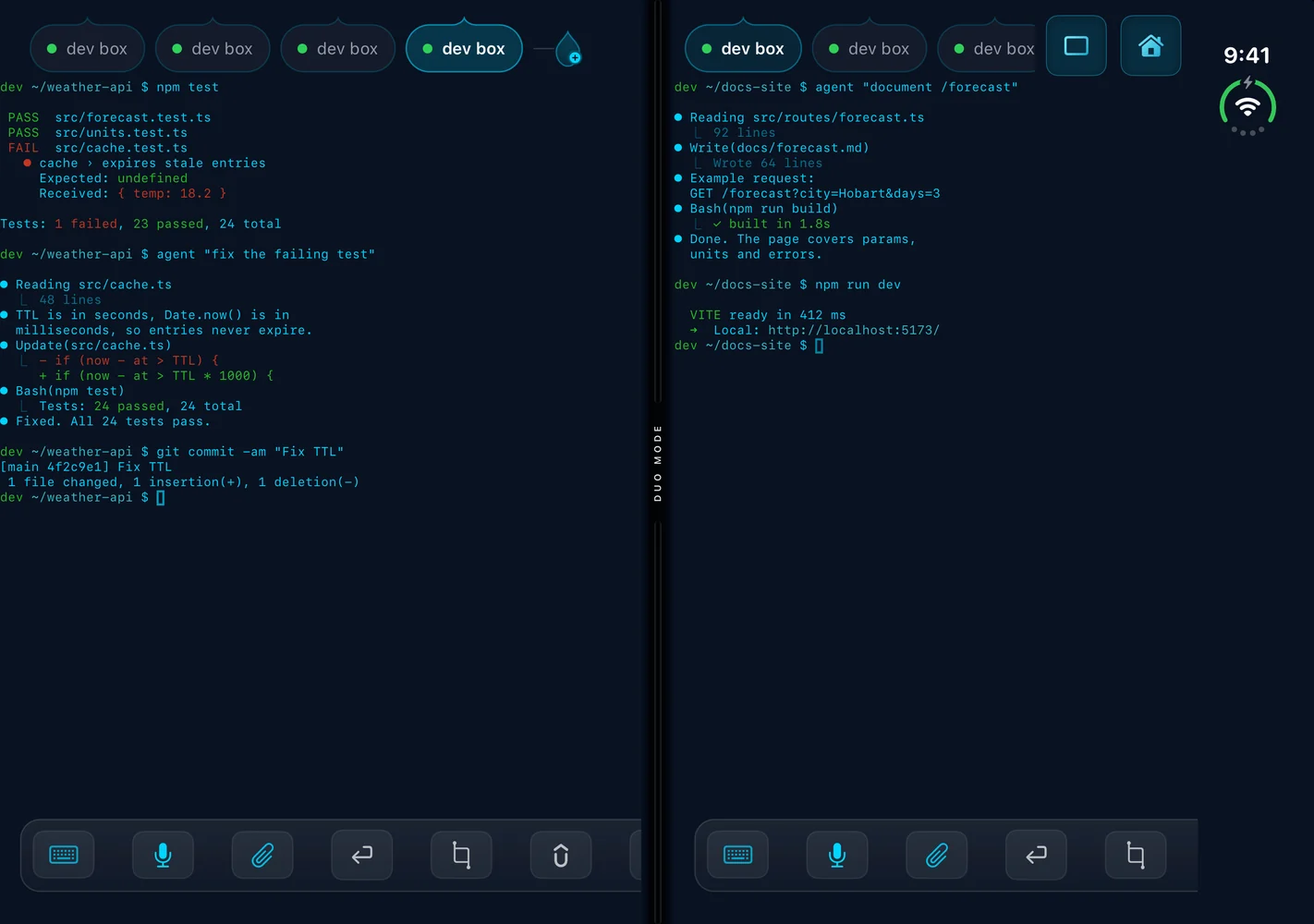
Turn the open Duo on its side and tap the mode button. Your session moves to the left page and a second one opens on the right, like two pages of a book.
Two full pages
Each page has its own tabs and its own keyboard toolbar, so either session is one tap away.
A spine down the hinge
A book binding runs down the fold and names the mode you are in.
Back in one tap
Tap the mode button again for one screen, with the session you were in still in front of you.
A new session on either page
Each page has its own droplet button, so a new SSH session opens on the left or the right, wherever you want it.
The Duo terminal built for AI agents.
Run Claude Code or Codex in a Tmux session on a headless Mac or VPS, then open the session on the Duo to read what it did and send the next instruction.
Scroll Tmux history with one finger, paste screenshots into the session, speak into the prompt with Voice Drop, and keep sessions alive in the background. Each agent gets its own Tmux session, and tab names can sync from Tmux so every tab is labelled after its agent.
We found that none of the heritage terminal apps were built for AI agents and the people who run them: operators working with several agents at the same time, who need a terminal built for speed and precision and fully compatible with modern agent harnesses.
With the extra real estate the iPhone Duo provides, we have sculpted Shell Drop to take advantage of every part of the Duo.
Run your agents from the Duo in four steps.
The agents run on a computer that stays on, and the Duo connects to them over SSH. The Mac mini agent OS write-up covers the server setup in full.
A headless Mac or VPS
Run Claude Code or Codex on a Mac mini or a VPS, inside a Tmux session that keeps going when nobody is watching.
SSH in from the Duo
Save the connection in Shell Drop with a password or a key generated in the Secure Enclave, and it opens with one tap from Home.
Attach to Tmux
Attach to the session and the agent’s output is on screen, closed or open. Fold or unfold and Tmux resizes once.
Reply from either screen
Type a short instruction or speak one with Voice Drop, closed or open, and the agent carries on.
Free, with no account.
Every feature ships in the free app, with no subscription and no account. SSH keys can be generated in the Secure Enclave, where the private key never leaves the chip.
For a side-by-side with another iOS SSH client, here is how Shell Drop compares with Termius, or every app at once in the best SSH client for iPhone and iPad roundup.
Terminal for iPhone Duo, answered.
Tap to expand. See the full FAQ for everything else.
Is there a terminal app for iPhone Duo?
Yes. Shell Drop is a native SSH terminal with full iPhone Duo support from version 5.2.2, closed and open. It is free, with no account, and built for running AI coding agents like Claude Code and Codex in Tmux.
Does Shell Drop use the whole inner display on the open Duo?
Yes. On the open Duo the app runs edge to edge on the inner display, and the terminal picks a larger font from the window width. Home, Launchpad and Settings keep a readable column on the wide screen.
What happens to Tmux when I fold or unfold the Duo?
Tmux resizes once per fold or unfold, in one step. The terminal picks its font from the new window width, and the session on the server keeps running through the change.
Does Shell Drop work on the outer display?
Yes. On the outer display the system icons sit across the top, so the terminal uses the full width. The terminal and Home both work closed, so a session can be checked on the foldable without opening it.
Can I run Claude Code on iPhone Duo?
Yes. Run Claude Code or Codex in a Tmux session on a headless Mac or VPS, then SSH in from the Duo to read the output and send the next instruction. Open the Duo for a wider Tmux pane on the inner display. Claude Code on iPhone covers the setup.
Can I run two sessions side by side on iPhone Duo?
Yes, from version 5.2.4. On the open Duo in landscape, tap the mode button for Duo mode: two sessions side by side on the inner display, each with its own tabs and keyboard toolbar. Tap it again for one screen.
Is there a terminal app for the iPhone Fold?
Yes. Apple’s foldable iPhone, long rumoured as the iPhone Fold, is the iPhone Duo, and Shell Drop is a free, native SSH terminal for it, closed or open.
Is Shell Drop free on iPhone Duo?
Yes. Shell Drop is free, with no subscription and no account. Every feature ships with the app, iPhone Duo support included, and SSH keys can be generated in the Secure Enclave.
The terminal app for iPhone Duo.
Free, with no subscription and no account.
Every feature ships with the app.