Shell Drop 5.2.9 is coming soon to the App Store. It brings Agent Comms, Super Productivity Mode, a Go menu in the terminal, an advanced connection manager and a long list of little fixes. Here is everything in it.
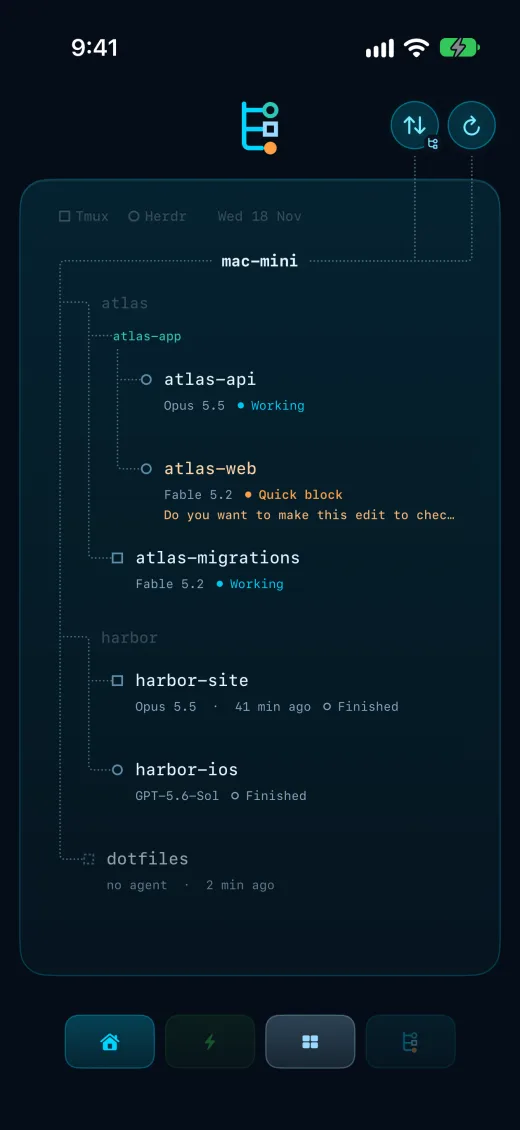
The productivity screen you didn’t know you would fall in love with. Agent Comms shows live agent status from all of your sessions on one screen, grouped exactly how you want.
Tmux and Herdr married and happy with no pre-nup. Sessions from both sit side by side in the same view, so one glance tells you which agents are working, which have finished and which are waiting on you.
If Agent Comms isn’t the most beautiful agent screen you’ve ever seen, get in touch and show us a better one so we can disagree with you.
Running agents on an always-on Mac? The Mac mini AI agents guide walks through the setup Agent Comms is built for.
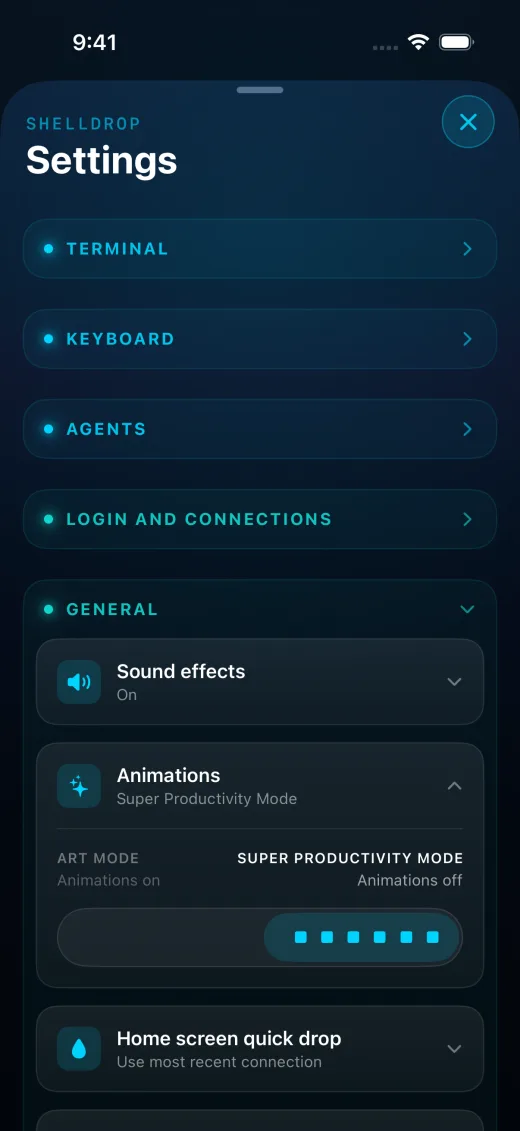
Animations off, quick glitch enabled. Find it in Settings > General > Animations.
The setting is a single switch between two modes. Art Mode keeps the animations on. Super Productivity Mode turns them off.
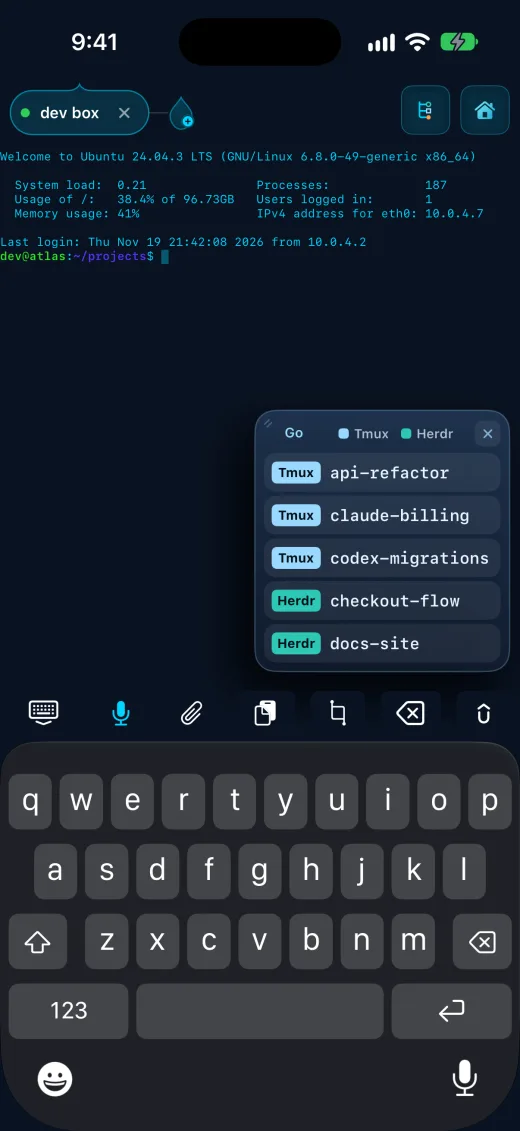
One tap to enter any of your active Tmux or Herdr sessions, straight from the terminal screen. Turn it on in Settings > Terminal > Terminal screen Go menu.
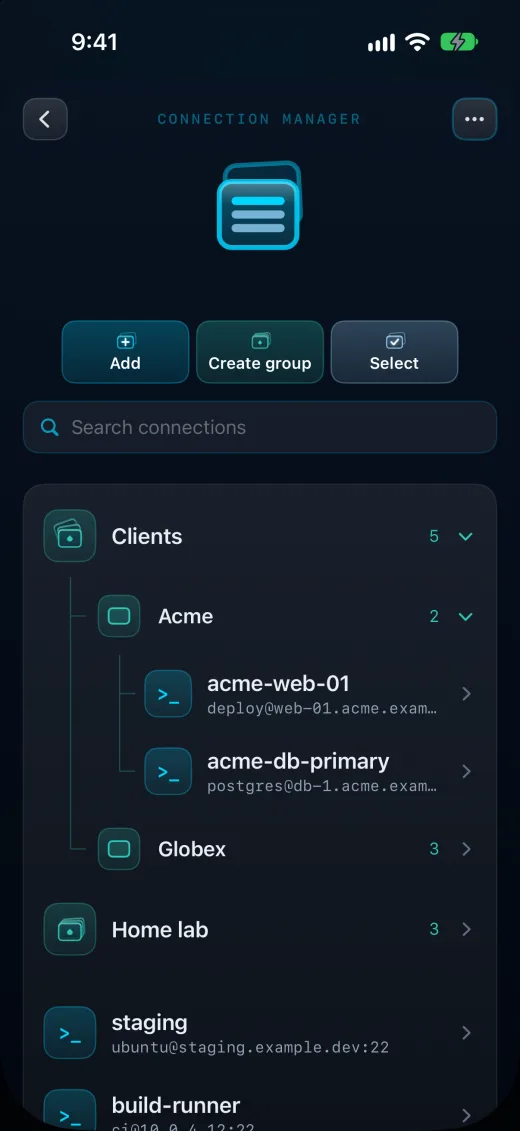
Fast, groups inside groups, search enabled. Tested with 1,000 connections.
Organise servers into groups, and groups inside groups. Search, sort by groups, A to Z or recent, and pin the ones you use most.
Import from a CSV or your SSH config, export your whole setup, and undo any import or delete.
Groups and pins sync across your devices with iCloud. Passwords and keys never leave the device.
Find it in Settings > Login and connections > Connection manager.
Mythos 5.2 has been interrogating the code for 7 days straight. We’ve done everything it recommended and only argued a small amount in front of the kids. Little Opus is proud of his new dad.
Shell Drop 5.2.9 is coming soon. Every released version is in the release notes. Shell Drop is free on the App Store for iPhone, iPad and iPhone Duo, iOS 17+.